How to Accept Online Payments in Nigeria With Paystack, Flutterwave and Bank Transfer
How Nigerian merchants can accept online payments with Paystack, Flutterwave, bank transfer and cash on delivery: how each works, published fees, security, fake alerts, failed payments, refunds and Webift setup.
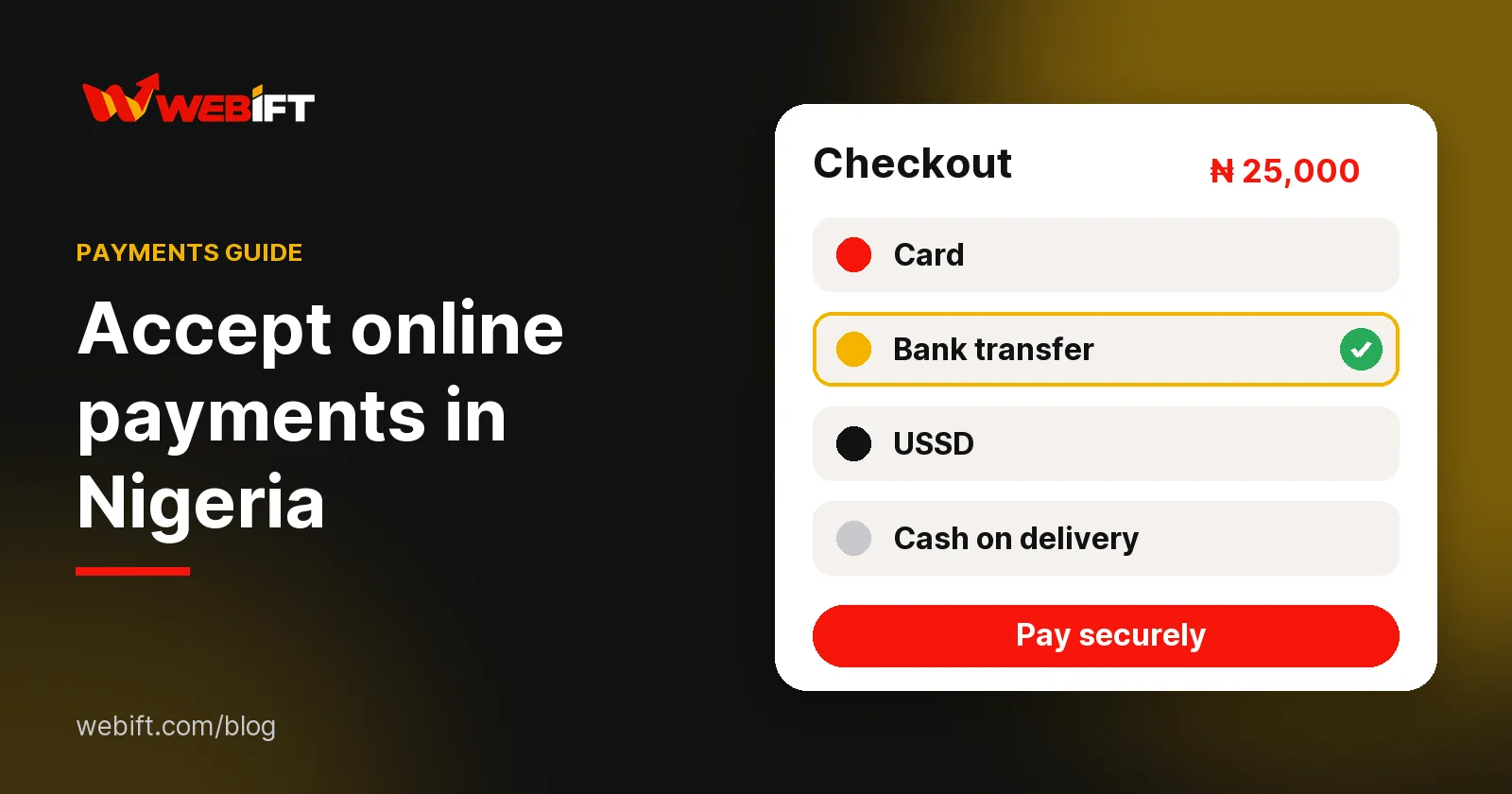
The short answer: to accept online payments in Nigeria you connect a payment gateway such as Paystack or Flutterwave to your store so customers can pay by card, bank transfer or USSD, and you can add manual bank transfer and cash on delivery for customers who prefer them. Gateways charge a fee on each transaction, require account verification and settle money to your bank account under their own terms. A platform like Webift lets you switch on several of these at once so customers choose how to pay at checkout.
Last updated 12 October 2026. Fees below were read from the providers' own pages on that date. Provider terms, fees and settlement rules change, so confirm them in your provider dashboard.
If you are setting up a store and want to see where payment options live, you can create your Webift store and open Payment Settings while you read.
Why payment collection matters
A store without a smooth payment step loses sales. Customers abandon checkout when they cannot pay the way they prefer, when a payment fails without explanation, or when they do not trust where their money is going. Merchants lose money when they release goods against fake alerts or cannot tell which payment belongs to which order.
Good payment collection does four things: it gives customers familiar options, confirms payment automatically where possible, links each payment to an order and gives you a clear record.
The main online payment methods in Nigeria
- Cards: debit and credit cards, processed by a gateway
- Bank transfer: customers pay into an account, either through a gateway that generates the details or directly to your account
- USSD: customers dial a bank code on any phone, which helps customers without card apps
- Cash on delivery: the customer pays when the goods arrive
- Mobile wallets and other local methods: offered by some gateways, depending on your account and market
Most Nigerian online stores combine a gateway for instant online payment with bank transfer for customers who prefer to pay directly.
How Paystack works
Paystack is a payment provider that lets businesses accept payments from customers online. You create a Paystack account, complete its verification, and receive public and secret API keys. A store platform uses those keys to start a payment, send the customer to a secure checkout, and learn the result through a notification called a webhook. Customers can pay by card, bank transfer or USSD, according to Paystack's description.
Published fee: Paystack's support documentation lists 1.5% plus ₦100 for local transactions, with a cap of ₦2,000 on the fee and the ₦100 waived on transactions under ₦2,500. International cards were listed at 3.9% plus ₦100 for Mastercard, Visa and Verve, and 4.5% for American Express (checked 12 October 2026). Paystack says transaction charges are deducted per transaction and the difference is settled through your payouts, and we did not find a specific settlement timeframe on that page, so check your Paystack dashboard for your schedule.
How Flutterwave works
Flutterwave works in a similar way: you create an account, get verified, receive API keys and connect them to your store. Customers can pay with cards, bank transfer, USSD and other local channels.
Published fee: Flutterwave's Nigeria pricing page lists 2% per transaction for local payments, shown as a 1.4% transaction fee plus a 0.6% platform fee, with a 7.5% VAT on transaction fees. It says customers bear the transaction charges by default, which you can change in your dashboard, and that you receive your money the next day for local payments. International cards were listed at 4.8% (checked 12 October 2026).
Bank transfers
Manual bank transfer is simple: the customer sees your account name and number at checkout and pays you directly. It has no gateway fee, which is attractive, but it needs manual work. You must confirm that the money arrived before you ship, and match the payment to the right order.
Best practice: give each order a reference, ask the customer to include it, and confirm the credit in your bank app, not from a screenshot.
Cash on delivery
Cash on delivery lets customers pay when they receive their goods. It builds trust with first-time buyers but carries risk: refused deliveries, delays in collecting cash and the cost of failed trips. It only works for physical products. Many merchants use it only in cities they can serve reliably, and set a minimum order value.
Gateway configuration requirements
Before a gateway can pay you, expect to:
- Create an account and verify your email and phone number
- Provide business or personal identity details as the provider requires
- Add the bank account where money should be settled
- Obtain your API keys from the dashboard
- Add your keys, and any webhook address, to your store platform
- Run a small live test to confirm everything works
Providers may ask for documents, and approval times vary. Payment processing is subject to the terms and conditions of each provider, including which businesses and products they accept.
Payment security basics
- Keep your secret keys private. Never post them in chats or screenshots, and never send them in an email.
- Use platforms that send customers to the provider's secure checkout instead of collecting card numbers themselves.
- Check the address bar shows your real store address before you share payment links.
- Use strong passwords and two-factor sign-in on your gateway, email and bank accounts.
- Review transactions regularly in your provider dashboard.
How to avoid fake bank alerts
Fake alerts and edited transfer screenshots are a common trick. Protect yourself:
- Never release goods on a screenshot or SMS alert alone. Check your bank app or statement for the actual credit.
- Check the amount and the sender name against the order.
- Be cautious about overpayment stories, where a buyer "accidentally" sends too much and asks for a refund.
- Use a gateway for higher-value orders, so confirmation is automatic.
- Keep records: note the reference, time and amount for each transfer.
Handling failed payments
Payments fail for many reasons: insufficient funds, a bank decline, a network timeout, a wrong card detail or a security block. When one fails:
- Do not ship until you see a confirmed payment in your dashboard.
- Ask the customer to retry, or to try another method such as transfer.
- If money left the customer's account but the order shows unpaid, check the provider dashboard using the transaction reference. Many such cases are reversed by the bank or confirmed by the provider shortly afterwards.
- Keep the customer informed with a short message.
Payment confirmation
Gateway payments are confirmed through a webhook or a verification check, so the order updates without your involvement. Bank transfers and cash on delivery are confirmed by you. In Webift, digital-only orders paid through Paystack or Flutterwave are confirmed automatically, while transfer and cash orders wait for you to confirm.
Refunds and disputes
Decide your refund policy before you launch and publish it on your store. For gateway payments, refunds and disputes follow the provider's rules and are usually handled in the provider dashboard. For bank transfers you refund manually. Keep records of the order, the payment and your communication with the customer, because they help if a bank or provider asks for evidence. Webift does not process refunds back through the gateway for you, so plan to handle them with your provider.
How Webift supports payments
In Webift you open Settings, then Payment Settings, and turn on every way you want to be paid. Customers choose at checkout, and only methods that are fully set up are shown to them.
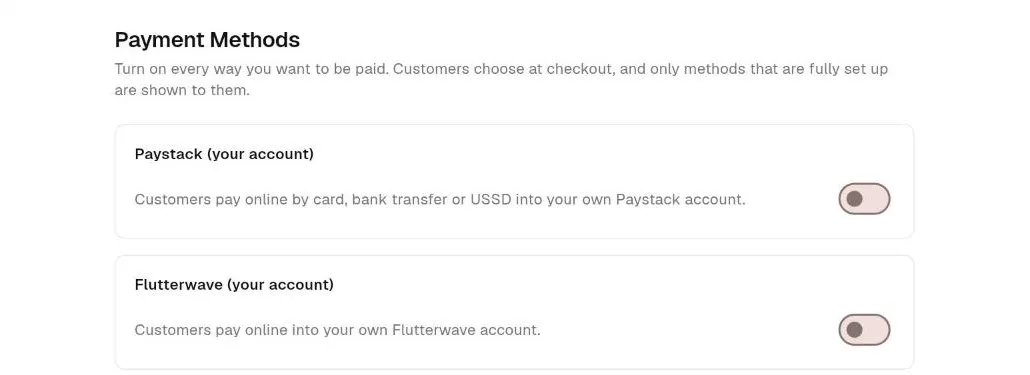
- Paystack (your account): customers pay by card, bank transfer or USSD into your own Paystack account. You enter your Paystack public and secret keys and paste Webift's webhook address into your Paystack settings.
- Flutterwave (your account): customers pay online into your own Flutterwave account. You enter your keys and the webhook secret hash from your Flutterwave settings.
- Webift Gateway: customers pay through Webift's gateway account with no keys needed, and payments reach your Webift wallet. Availability depends on your store.
- Bank transfer: you enter your bank name, account name and account number, plus optional instructions. Customers pay you directly and you confirm receipt.
- Cash on delivery: offered only for carts of physical products. You mark payment received.
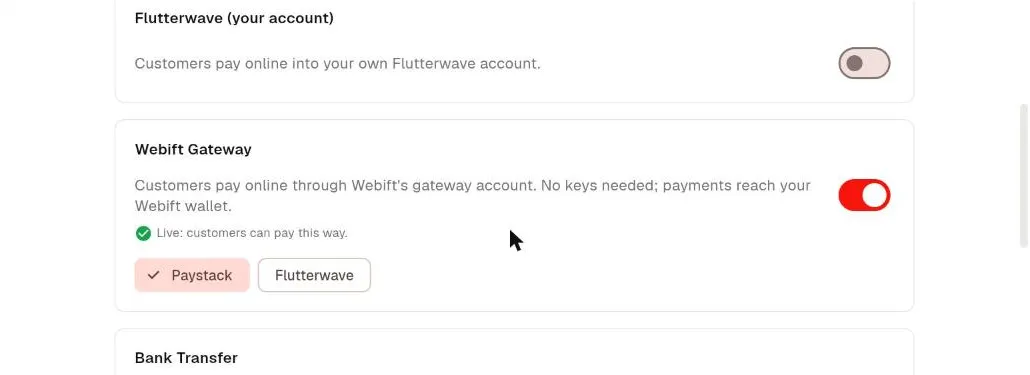
The provider's own fees apply to gateway payments, and your Webift plan terms apply separately. Read the plan details shown at sign-up so you know what your plan includes.
Practical Webift payment setup
- Create your store and complete the "Get to your first sale" checklist.
- Open Payment Settings and choose your methods.
- For Paystack or Flutterwave, copy your keys from the provider dashboard, paste them in, then add the webhook details as instructed on screen.
- For bank transfer, add your account details and instructions.
- Save and test with a small order, then cancel it.
- Show your policy for refunds and delivery on your store.
Create your Webift store and configure the payment options available to your business.
For the full store setup, see our guide to creating an online store in Nigeria. If you sell downloadable products, read how to sell digital products in Nigeria.
Frequently asked questions
What is the best way to accept online payments in Nigeria?
For most stores, a gateway such as Paystack or Flutterwave for cards, transfers and USSD, plus manual bank transfer as a backup. Add cash on delivery only if you can manage the risk.
How much does Paystack charge?
Paystack's support page lists 1.5% plus ₦100 for local transactions, capped at ₦2,000, with the ₦100 waived under ₦2,500 (checked 12 October 2026).
How much does Flutterwave charge?
Flutterwave's pricing page lists 2% per transaction for local payments, plus 7.5% VAT on fees (checked 12 October 2026).
Can I accept bank transfers without a gateway?
Yes. Show your account details at checkout and confirm each payment in your bank app before shipping.
How long does settlement take?
It depends on the provider and your account. Flutterwave's pricing page says local payments settle the next day. Check your Paystack dashboard or support for your schedule.
Does Webift support Paystack and Flutterwave?
Yes. You connect your own accounts, and you can also offer bank transfer and cash on delivery.
Final thoughts
Payments are where trust is won or lost. Offer familiar options, confirm money before you ship and keep clear records. When you are ready to set it up, start selling with Webift.